> For the complete documentation index, see [llms.txt](https://docs.theenergyarea.com/llms.txt). Markdown versions of documentation pages are available by appending `.md` to page URLs; this page is available as [Markdown](https://docs.theenergyarea.com/earning-rewards.md).
# Earning Rewards
Factors which impact reward earnings
Key factors which impact reward earning are the NFT characteristics and NFT specialty, which can be found in the NFT Characteristics section. Only qualifying Creators from the approved list earn rewards, and these can be found in the Watch section.
Users will also benefit from watching videos within their NFT Speciality since their rewards will be boosted.
### Video Viewing Caps
NFTs will have a universal video reward cap per day, called **Views**, this is the maximum amount of videos someone can get rewarded for in a day. The current reward viewing cap is 5 videos per day, for ALL NFTs. This limit will be reset back to 5, every day at 12:00am UTC.
## Earning NRG tokens
To start earning NRG tokens, the first thing you need to do is activate your NFT.
{% hint style="info" %}
If you have more than one **NFT**, you can swap the activation between NFTs, but this NFT activation swap has a daily limit which is 5, after consuming that exchange limit you must wait til 12:00am UTC before being able to exchange activation between NFTs again.
{% endhint %}
### Activate NFT
In order to start using the NFT, you must first activate it by selecting the NFT you want to activate, a drop-down menu opens, where you must select the **ACTIVATE** option.
A confirmation pop-up will open, if you are sure to activate the NFT you should select the ACTIVATE button, wait a few seconds and a confirmation message of active NFT appears.
Active NFT
After activating your nerd, you will be able to find all the channels with associated NRG tokens in the Watch section.
### Claiming your Daily Login Bonus
Regardless of how many Nerds you own, you're entitled to a daily login bonus. To claim this bonus:
1. Ensure you have BNB available for gas fees
2. Initiate the claim process
3. After successfully claiming, your login bonus will appear in your unclaimed balance within a few minutes so you can finish claiming it there
{% hint style="info" %}
The amount of the daily login bonus is randomly generated and can range from 1 NRG to 750 NRG
{% endhint %}
{% hint style="danger" %}
You'll only be able to claim the prize once per day. The gift is valid for one day. If not opened on the current day, the prize is forfeited and moves to the next day.
{% endhint %}
{% hint style="success" %}
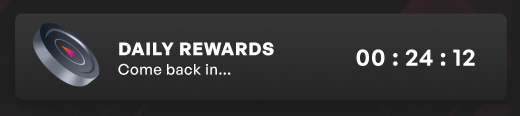
When you have claimed your daily login bonus, you'll see a timer letting you know when the next bonus will be available for you to claim again
{% endhint %}